 Donato Capitella
206 lines
8.7 KiB
Markdown
206 lines
8.7 KiB
Markdown
# AMD Strix Halo Llama.cpp Toolboxes
|
||
|
||
This project provides pre-built containers (“toolboxes”) for running LLMs on **AMD Ryzen AI Max “Strix Halo”** integrated GPUs. Toolbx is the standard developer container system in Fedora (and now works on Ubuntu, openSUSE, Arch, etc).
|
||
|
||
---
|
||
|
||
### 📦 Project Context
|
||
|
||
This repository is part of the **[Strix Halo AI Toolboxes](https://strix-halo-toolboxes.com)** project. Check out the website for an overview of all toolboxes, tutorials, and host configuration guides.
|
||
|
||
### ❤️ Support
|
||
|
||
This is a hobby project maintained in my spare time. If you find these toolboxes and tutorials useful, you can **[buy me a coffee](https://buymeacoffee.com/dcapitellau)** to support the work! ☕
|
||
|
||
## 📺 Video Demo
|
||
|
||
[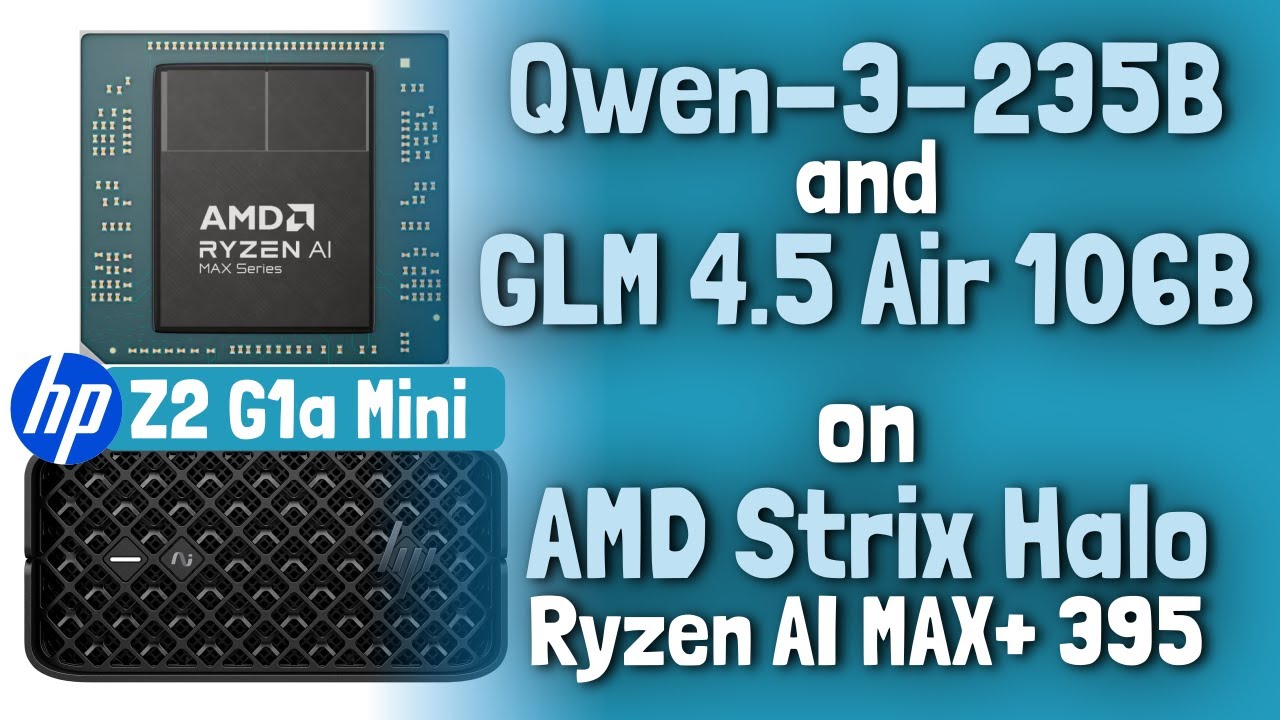](https://youtu.be/wCBLMXgk3No)
|
||
|
||
## Table of Contents
|
||
|
||
- [Stable Configuration](#stable-configuration)
|
||
- [ROCm 7 Performance Regression Workaround](#rocm-7-performance-regression-workaround-applied--2026-02-04)
|
||
- [Supported Toolboxes](#supported-toolboxes)
|
||
- [Quick Start](#quick-start)
|
||
- [Host Configuration](#host-configuration)
|
||
- [Performance Benchmarks](#performance-benchmarks)
|
||
- [Memory Planning & VRAM Estimator](#memory-planning--vram-estimator)
|
||
- [Building Locally](#building-locally)
|
||
- [Distributed Inference](#distributed-inference)
|
||
- [More Documentation](#more-documentation)
|
||
- [References](#references)
|
||
|
||
|
||
## ✅ Stable Configuration
|
||
|
||
- **OS**: Fedora 42/43
|
||
- **Linux Kernel**: 6.18.6-200
|
||
- **Linux Firmware**: 20260110
|
||
|
||
This is currently the most stable setup. Kernels older than 6.18.4 have a bug that causes stability issues on gfx1151 and should be avoided. Also, **do NOT use `linux-firmware-20251125`.** It breaks ROCm support on Strix Halo (instability/crashes).
|
||
|
||
> ⚠️ **Important**: See [Host Configuration](#host-configuration) for critical kernel parameters.
|
||
|
||
## ✅ ROCm 7 Performance Regression Workaround Applied — 2026-02-04
|
||
|
||
The performance regression previously observed in ROCm 7+ builds (compared to ROCm 6.4.4) has been **resolved in the toolboxes** via a workaround.
|
||
|
||
The issue was caused by a compiler regression (llvm/llvm-project#147700) affecting loop unrolling thresholds. We have applied the workaround (`-mllvm --amdgpu-unroll-threshold-local=600`) in the latest toolbox builds, restoring full performance.
|
||
|
||
This workaround will be removed once the upstream fix lands. For details, see the issue: [kyuz0/amd-strix-halo-toolboxes#45](https://github.com/kyuz0/amd-strix-halo-toolboxes/issues/45)
|
||
|
||
|
||
## 📦 Supported Toolboxes
|
||
|
||
You can check the containers on DockerHub: [kyuz0/amd-strix-halo-toolboxes](https://hub.docker.com/r/kyuz0/amd-strix-halo-toolboxes/tags).
|
||
|
||
| Container Tag | Backend/Stack | Purpose / Notes |
|
||
| :--- | :--- | :--- |
|
||
| `vulkan-amdvlk` | Vulkan (AMDVLK) | Fastest backend—AMD open-source driver. ≤2 GiB single buffer allocation limit, some large models won't load. |
|
||
| `vulkan-radv` | Vulkan (Mesa RADV) | Most stable and compatible. Recommended for most users and all models. |
|
||
| `rocm-6.4.4` | ROCm 6.4.4 (Fedora 43) | Latest stable 6.x build. Uses Fedora 43 packages with backported patch for **kernel 6.18.4+** support. |
|
||
| `rocm-7.2` | ROCm 7.2 | Latest stable 7.x build. Includes patch for **kernel 6.18.4+** support. |
|
||
| `rocm7-nightlies` | ROCm 7 Nightly | Tracks nightly builds. Includes patch for **kernel 6.18.4+** support. |
|
||
|
||
> These containers are **automatically** rebuilt whenever the Llama.cpp master branch is updated. Legacy images (`rocm-6.4.2`, `rocm-6.4.3`, `rocm-7.1.1`) are excluded from this list.
|
||
|
||
## 🚀 Quick Start
|
||
|
||
### 1. Create & Enter Toolbox
|
||
|
||
**Option A: Vulkan (RADV/AMDVLK)** - best for compatibility
|
||
```sh
|
||
toolbox create llama-vulkan-radv \
|
||
--image docker.io/kyuz0/amd-strix-halo-toolboxes:vulkan-radv \
|
||
-- --device /dev/dri --group-add video --security-opt seccomp=unconfined
|
||
|
||
toolbox enter llama-vulkan-radv
|
||
```
|
||
|
||
**Option B: ROCm (Recommended for Performance)**
|
||
```sh
|
||
toolbox create llama-rocm-7.2 \
|
||
--image docker.io/kyuz0/amd-strix-halo-toolboxes:rocm-7.2 \
|
||
-- --device /dev/dri --device /dev/kfd \
|
||
--group-add video --group-add render --group-add sudo --security-opt seccomp=unconfined
|
||
|
||
toolbox enter llama-rocm-7.2
|
||
```
|
||
*(Ubuntu users: use [Distrobox](https://github.com/89luca89/distrobox) as `toolbox` may break GPU access).*
|
||
|
||
### 2. Check GPU Access
|
||
Inside the toolbox:
|
||
```sh
|
||
llama-cli --list-devices
|
||
```
|
||
|
||
### 3. Download Model
|
||
Example: Qwen3 Coder 30B (BF16)
|
||
```bash
|
||
HF_HUB_ENABLE_HF_TRANSFER=1 huggingface-cli download unsloth/Qwen3-Coder-30B-A3B-Instruct-GGUF \
|
||
BF16/Qwen3-Coder-30B-A3B-Instruct-BF16-00001-of-00002.gguf \
|
||
--local-dir models/qwen3-coder-30B-A3B/
|
||
|
||
HF_HUB_ENABLE_HF_TRANSFER=1 huggingface-cli download unsloth/Qwen3-Coder-30B-A3B-Instruct-GGUF \
|
||
BF16/Qwen3-Coder-30B-A3B-Instruct-BF16-00002-of-00002.gguf \
|
||
--local-dir models/qwen3-coder-30B-A3B/
|
||
```
|
||
|
||
### 4. Run Inference
|
||
> ⚠️ **IMPORTANT**: Always use **flash attention** (`-fa 1`) and **no-mmap** (`--no-mmap`) on Strix Halo to avoid crashes/slowdowns.
|
||
|
||
**Server Mode (API):**
|
||
```sh
|
||
llama-server -m models/qwen3-coder-30B-A3B/BF16/Qwen3-Coder-30B-A3B-Instruct-BF16-00001-of-00002.gguf \
|
||
-c 8192 -ngl 999 -fa 1 --no-mmap
|
||
```
|
||
|
||
**CLI Mode:**
|
||
```sh
|
||
llama-cli --no-mmap -ngl 999 -fa 1 \
|
||
-m models/qwen3-coder-30B-A3B/BF16/Qwen3-Coder-30B-A3B-Instruct-BF16-00001-of-00002.gguf \
|
||
-p "Write a Strix Halo toolkit haiku."
|
||
```
|
||
|
||
### 5. Keep Updated
|
||
Refresh your authenticated toolboxes to the latest nightly/stable builds:
|
||
```bash
|
||
./refresh-toolboxes.sh all
|
||
```
|
||
|
||
## ⚙️ Host Configuration
|
||
|
||
This should work on any Strix Halo. For a complete list of available hardware, see: [Strix Halo Hardware Database](https://strixhalo-homelab.d7.wtf/Hardware)
|
||
|
||
### Test Configuration
|
||
|
||
| Component | Specification |
|
||
| :---------------- | :---------------------------------------------------------- |
|
||
| **Test Machine** | Framework Desktop |
|
||
| **CPU** | Ryzen AI MAX+ 395 "Strix Halo" |
|
||
| **System Memory** | 128 GB RAM |
|
||
| **GPU Memory** | 512 MB allocated in BIOS |
|
||
| **Host OS** | Fedora 43, Linux 6.18.5-200.fc43.x86_64 |
|
||
|
||
### Kernel Parameters (tested on Fedora 42)
|
||
|
||
Add these boot parameters to enable unified memory while reserving a minimum of 4 GiB for the OS (max 124 GiB for iGPU):
|
||
|
||
`iommu=pt amdgpu.gttsize=126976 ttm.pages_limit=32505856`
|
||
|
||
| Parameter | Purpose |
|
||
|-----------------------------|--------------------------------------------------------------------------------------------|
|
||
| `iommu=pt` | Sets IOMMU to "Pass-Through" mode. This helps performance, reducing overhead for the iGPU unified memory access. |
|
||
| `amdgpu.gttsize=126976` | Caps GPU unified memory to 124 GiB; 126976 MiB ÷ 1024 = 124 GiB |
|
||
| `ttm.pages_limit=32505856` | Caps pinned memory to 124 GiB; 32505856 × 4 KiB = 126976 MiB = 124 GiB |
|
||
|
||
Apply with:
|
||
```bash
|
||
sudo grub2-mkconfig -o /boot/grub2/grub.cfg
|
||
sudo reboot
|
||
```
|
||
|
||
### Ubuntu 24.04
|
||
See [TechnigmaAI's Guide](https://github.com/technigmaai/technigmaai-wiki/wiki/AMD-Ryzen-AI-Max--395:-GTT--Memory-Step%E2%80%90by%E2%80%90Step-Instructions-%28Ubuntu-24.04%29).
|
||
|
||
## 📊 Performance Benchmarks
|
||
|
||
🌐 **Interactive Viewer**: [https://kyuz0.github.io/amd-strix-halo-toolboxes/](https://kyuz0.github.io/amd-strix-halo-toolboxes/)
|
||
|
||
See [docs/benchmarks.md](docs/benchmarks.md) for full logs.
|
||
|
||
## 💾 Memory Planning & VRAM Estimator
|
||
|
||
Strix Halo uses unified memory. To estimate VRAM requirements for models (including context overhead), use the included tool:
|
||
|
||
```bash
|
||
gguf-vram-estimator.py models/my-model.gguf --contexts 32768
|
||
```
|
||
See [docs/vram-estimator.md](docs/vram-estimator.md) for details.
|
||
|
||
## 🛠️ Building Locally
|
||
|
||
You can build the containers yourself to customize packages or llama.cpp versions.
|
||
Instructions: [docs/building.md](docs/building.md).
|
||
|
||
|
||
|
||
## 🌩️ Distributed Inference
|
||
|
||
Run models across a cluster of Strix Halo machines using `run_distributed_llama.py`.
|
||
1. Setup SSH keys between nodes.
|
||
2. Run `python3 run_distributed_llama.py` on the main node.
|
||
3. Follow the TUI to launch the cluster.
|
||
|
||
## 📚 More Documentation
|
||
|
||
* [docs/benchmarks.md](docs/benchmarks.md)
|
||
* [docs/vram-estimator.md](docs/vram-estimator.md)
|
||
* [docs/building.md](docs/building.md)
|
||
* [docs/troubleshooting-firmware.md](docs/troubleshooting-firmware.md)
|
||
|
||
## 🔗 References
|
||
|
||
* [Strix Halo Home Lab (deseven)](https://strixhalo-homelab.d7.wtf/)
|
||
* [Strix Halo Testing Builds (lhl)](https://github.com/lhl/strix-halo-testing/tree/main)
|